Who won the contract, and when will it be re-tendered?
- Ian Makgill
- Help
- 10 Nov, 2026
- 03 Mins read
Last updated: 10 November 2026
When a buyer awards a contract, it usually publishes an award notice: the supplier that won, the value and the contract period. From that notice you can name the incumbent and work out when the contract comes back to market, months before the re-tender is advertised. The method is the same in every country.
Where are contract award notices published?
Buyers publish award notices where they published the tender: on national procurement portals, on regional portals such as the European Union's TED, on their own websites and, for projects funded by development banks and UN agencies, on those organisations' sites. Open Opportunities has collected 2,624,783 award notices worldwide since January 2021, so one search covers them instead of a search on each portal in turn.
Not every buyer publishes an award notice. Where one is missing, the original tender notice often gives the contract length.
How do you find the incumbent supplier?
- In the Open Opportunities web app, set Notice type to Contracts. This shows award notices instead of open tenders, and adds the Supplier and contract date filters.
- Search for the buyer's name with words that describe the service, for example
"buyer name" software support. Use the words the buyer would use, in the buyer's language. - Open each result and read the supplier. That is the incumbent.
Buyers write names their own way, both their own and the supplier's. Search the variants of a name: the full legal name, the short name and any acronym. Can't find a specific tender? shows how, and How to search by buyer covers the buyer filter.
To see every contract a competitor has won, in any country, put its name in the Supplier filter instead. The search filters page lists what each contract record contains.
How do you work out when the contract ends?
Read the contract end date where the buyer publishes one. Where the buyer gives only a start date and a duration, add them together. Check for options to extend: a three-year contract with two optional one-year extensions can run for five. For a framework agreement, the end date is the latest date by which the buyer must re-tender.
Two award notices show both cases:
- An end date. The Department for Work and Pensions in the United Kingdom awarded Informed Solutions £3.0 million to migrate legacy systems to AWS, with the contract ending on 10 April 2027 (the award notice).
- Only a duration. Energinet Systemansvar in Denmark awarded Uprise d.o.o. €738,000 to support its NOIS application (the award notice). The notice, published in June 2026, gives no end date but says the contract runs for five years, which puts the re-tender around 2031.
In both cases a supplier that wants the work next time knows the buyer, the incumbent and the date today. It can note the date, save a search on the buyer, and watch for the buyer's planning notices from now on.
The Contract end date filter does the same across many contracts: set it to the next 12 or 18 months to list contracts coming to an end, where buyers published an end date.
Which notices come before the tender?
Many buyers announce a procurement before they advertise it. The names differ from one country to the next, but the notices are of three kinds, usually in this order:
- Procurement plans and pipelines, which list the contracts a buyer expects to tender in the coming year or more.
- Prior information notices, which announce one planned procurement, often with its expected timing.
- Market engagement notices, which invite suppliers to talk to the buyer before the tender is written.
Open Opportunities collects these as planning notices. For how to read them, see How to read government buying signals 6 months before RFP release.
How do you turn this into alerts?
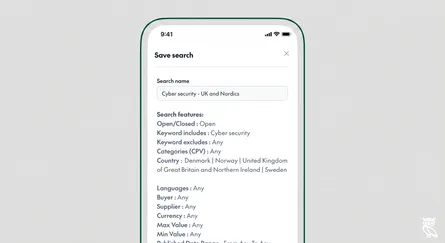
Save a search on each buyer whose contracts end in the next 18 months. Open Opportunities then emails you each new notice that buyer publishes, from the first planning notice to the tender itself. How to create a saved search takes you through it.
You do not have to wait for the tender to be advertised. The award notice tells you who holds the contract and when it ends, and that gives a bid team months to prepare.