Can't find a specific tender? Four searches to try first
- Ian Makgill
- Help
- 05 Nov, 2026
- 03 Mins read
Last updated: 5 November 2026
When a specific tender you expected is not in your results, check your search before you decide the tender is missing. A filter left over from your last search, or a buyer name spelled differently from the one you typed, can exclude it. Try these four searches first.
Remove all the filters
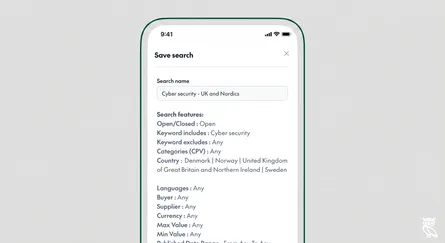
When you open Open Opportunities, it loads your most recent search with its filters. Any country, notice type, CPV code, value or date you set in that search still applies. Clear every filter, set the notice type to the kind of notice you expect, and run the search again.
Some buyers give no country at all. NATO's tenders, for example, include no country name, so Open Opportunities records them as "Multiple countries". A filter for a single country leaves them out. If you sell to NATO or another international organisation, clear the country filter and search by the buyer's name.
Separately, the published notice can give the wrong country. Find a Tender's data for Network Rail Infrastructure Limited's Commercial Property Maintenance Framework tender of 14 November 2025 gives an address in London and the country United States. The country field in Open Opportunities' record is also United States, not the United Kingdom.
Search by the buyer's name, in quotes
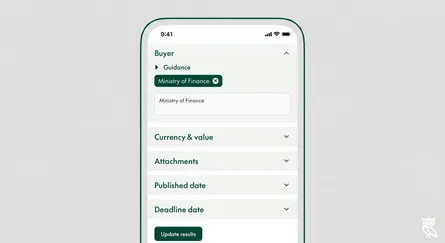
Open the Buyer filter in the filters tray. Type a word such as University and Open Opportunities returns tenders from buyers with that word in their name. Type the full name in quotation marks and Open Opportunities looks for exactly that name. To search for several names at once, join them with OR, as you would in a keyword search.
Exact names miss spellings you did not type. Open Opportunities collects the NATO Communications and Information Agency's tenders from two places: on the agency's own procurement site the buyer field reads "NATO Communications and Informations Agency", and on bund.de it reads "NATO Communications and Information Agency (NCIA)". A search for one spelling in quotation marks looks for exactly that name, so search for both: "NATO Communications and Informations Agency" OR "NATO Communications and Information Agency (NCIA)".
Some buyers publish under more than one company name. Network Rail, for example, publishes as Network Rail Infrastructure Limited and as Network Rail (High Speed) Limited. A search for "Network Rail Infrastructure Limited" in quotation marks looks for exactly that name, so it misses the second company's notices. To find notices from both, search for "Network Rail Infrastructure Limited" OR "Network Rail (High Speed) Limited".
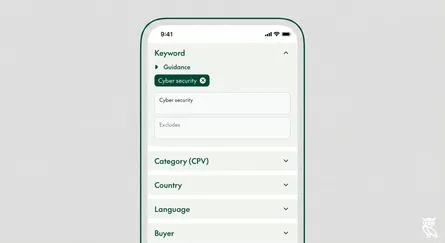
Run a keyword search for the buyer's name as well. A Buyer search finds only the buyer's own tenders; a keyword search also finds tenders from other buyers that mention the name. The Office of Rail and Road, for example, published a tender to benchmark Network Rail's maintenance and renewals spending. Its buyer is the Office of Rail and Road, so a Buyer search for Network Rail does not find it, but a keyword search for "network rail" does. How to search by buyer shows each step.
Search the likely date range
Set the publish date filter to the weeks before the tender's deadline. Network Rail, for example, typically gives suppliers about a month between publishing a tender and its deadline. For a Network Rail tender closing on 15 December, start the publish date range in early November, and widen it into October if the tender does not appear.
A rolling window such as "last 7 days" rolls forward every time the search runs, so a saved search with that preset no longer shows a tender published eight days ago.
Open Opportunities collects from many of its sources twice a day, so a tender published this morning may not appear until the next collection. If the buyer published it today, search again tomorrow.
Search by what you do, not the words a buyer uses
If you know the work but not the buyer, describe the work. Activity Search matches what your company does with what a buyer wants done, and a tender written in different words still matches. Search for "penetration testing" and it finds the notice that only says "security assessment".
Across nine portals tested in September 2026, the portals' own searches missed 73 in 100 relevant tenders on average. On average, Activity Search missed 6 in 100 within its first 100 results. See how we tested it, and download the results for each portal.
Still missing? Tell us
If the tender is still not there after these four searches, send us the buyer's name and the link to the notice through our contact page. Open Opportunities collects from 1050+ sources, and we still miss tenders. If the buyer published the tender on a source we do not collect from yet, we add sources on request.