How to load a saved search

How to load a saved search

Saved searches are searches that you can repeat again and again, creating one is easy in Open Opportunities.

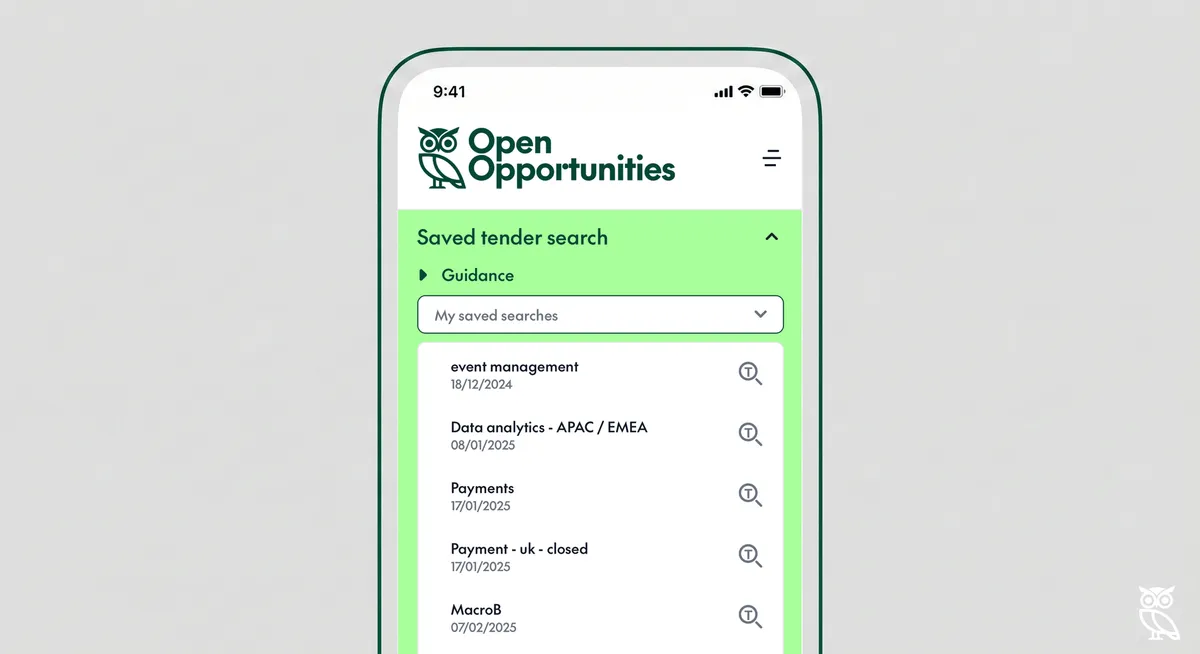
Once you have saved a search you can easily repeat it by using the saved search tray. This tray will only appear once you have saved a search and provides a quick and easy way for you to repeat any saved search.

Once you expand the saved search tray, you will see a list of the searches that you have saved, simply click on the search to update your search.

Saved search tray
Saved search selected

Using the saved search automatically populates the search fields and loads the search results. If you want to refine the results, simply amend any of the entries or add new entries into the search fields and then click on Update results at the bottom of the search tray.

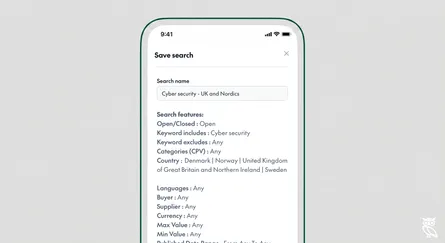
Saved search results

Related Posts

How to search by keyword

How to search by keyword

Searching by keyword is easy using Open Opportunities.

read more
How to search by exact keyword

How to search by exact keyword

To get more control of your search you can add some extra features. If you haven't read our guidance on how to search by keyword already, it might help to

read more
How to search by buyer

How to search by buyer

Searching for a specific buyer is easy using Open Opportunities.

read more
How to search by category

How to search by category

You can easily search by types of opportunity using our category search. Every item in our database has been given a classification, that means that you can search by across all of our tende

read more
How to search by language

How to search by language

Looking for opportunities in a specific language is easy with Open Opportunities.

read more
How to search by country

How to search by country

Looking for opportunities by country or continent is easy with Open Opportunities.

read more
How to create a saved search

How to create a saved search

Saved searches are searches that you can repeat again and again, creating one is easy in Open Opportunities.

read more
How to delete a saved search

How to delete a saved search

Deleting an old search you no longer want to use is simple with Open Opportunities.

read more
How to search by supplier

How to search by supplier

Searching for a specific supplier is easy using Open Opportunities.

read more